Where do we manage our billing information?
Category: Subscriptions Summary:This article covers managing billing information.
Overview
Managing billing information is easy. There are two places to manage billing information: in the "Current billing information" section in "Subscriptions"; and in the "Billing cards", "Shipping addresses", and "Billing addresses" sections in "Subscriptions".
Navigating to
Navigate to the "Subscriptions" section by selecting the section and selecting a particular subsection. If navigating to "Subscriptions", leave the subsection blank.

Hit →.

Current billing information
In "Subscriptions", find the "Current billing information" section.
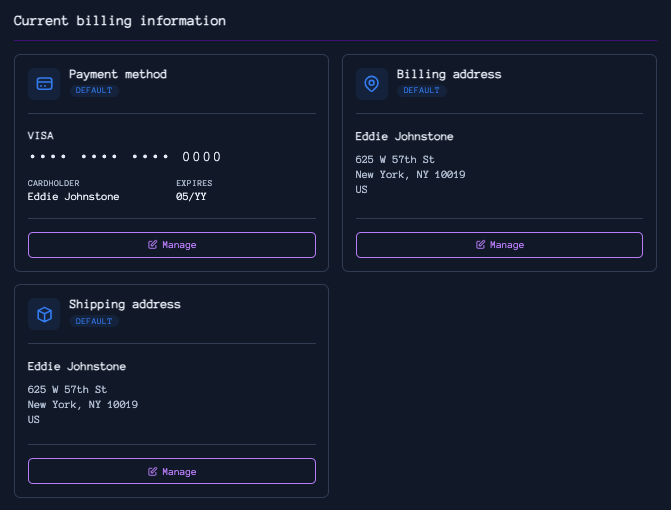
Discrete sections
All your saved billing cards, billing addresses, and shipping addresses are in the "Billing cards", "Billing addresses", and "Shipping addresses" sections, respectively.